

Download SoftPerfect WiFi Guard – Free Network Monitoring Tool for Windows
Overview
SoftPerfect WiFi Guard is a lightweight, easy‑to‑use network monitoring utility designed to give homeowners and small‑business owners instant visibility into every device that connects to their wired or wireless networks. By continuously scanning your LAN, the program builds a real‑time device list that includes IP addresses, MAC addresses, manufacturer details, and response times. When an unknown device appears, SoftPerfect WiFi Guard instantly alerts you with a visual pop‑up, an audible tone, or a custom script that you can configure to take further action. Although it does not replace a full‑blown firewall or antivirus suite, it complements existing security layers by acting as an early‑warning system for unauthorized access. Its simple interface, flexible scan intervals, and whitelist management make it an ideal choice for users who want a “set‑and‑forget” solution without the steep learning curve of enterprise‑grade network management tools.
Key Features
- Real‑time device detection: Continuously monitors both wired and wireless connections, showing live IP, MAC, and vendor information.
- Customizable scan intervals: Choose how often the network is scanned—from every few seconds to once a day—tailoring the tool to your performance needs.
- Whitelist management: Mark trusted devices to suppress unnecessary alerts and keep the focus on truly unknown connections.
- Advanced probing methods: Detects devices that hide from standard ping requests by using alternative probing techniques.
- Multi‑subnet support: Scan complex home or small‑office setups that span several subnets or VLANs.
- Alert options: Configurable visual pop‑ups, sound notifications, and the ability to trigger external scripts or programs.
- Lightweight footprint: Runs silently in the background with minimal CPU and RAM usage, preserving system performance.
- Cross‑compatible with Windows: Fully supported on Windows 7, 8, 8.1, 10, and 11 (both 32‑bit and 64‑bit).
- Exportable reports: Save scan results as CSV or HTML for later analysis or compliance documentation.
Installation & Usage Instructions
Getting SoftPerfect WiFi Guard up and running takes only a few minutes. Follow the steps below for a smooth installation on any Windows PC:
- Download the installer: Visit the official SoftPerfect website and click the “Download Free WiFi Guard” button. The file is a small
.exe(approximately 3 MB) that is signed and safe. - Run the installer: Double‑click the downloaded file. The wizard will guide you through the standard installation process—accept the license agreement, choose an installation folder (the default is fine for most users), and click “Install”.
- Launch the application: After installation, you can start WiFi Guard from the Start menu or by double‑clicking the desktop shortcut.
- Initial configuration: On first launch, the program will ask you to select the network interface you wish to monitor (e.g., Ethernet, Wi‑Fi). Choose the appropriate adapter and click “Next”.
- Set scan parameters: Define the scan interval (e.g., every 30 seconds) and decide whether you want to include all subnets or limit the scan to a specific IP range.
- Create a whitelist: The first scan will likely list all your current devices. Highlight each trusted device and click “Add to Whitelist”. This prevents future alerts for those devices.
- Configure alerts: Open the “Settings” tab, then “Notifications”. Choose a sound file, enable pop‑up messages, and optionally set a custom script (e.g., an email notifier) that runs when an unknown device is detected.
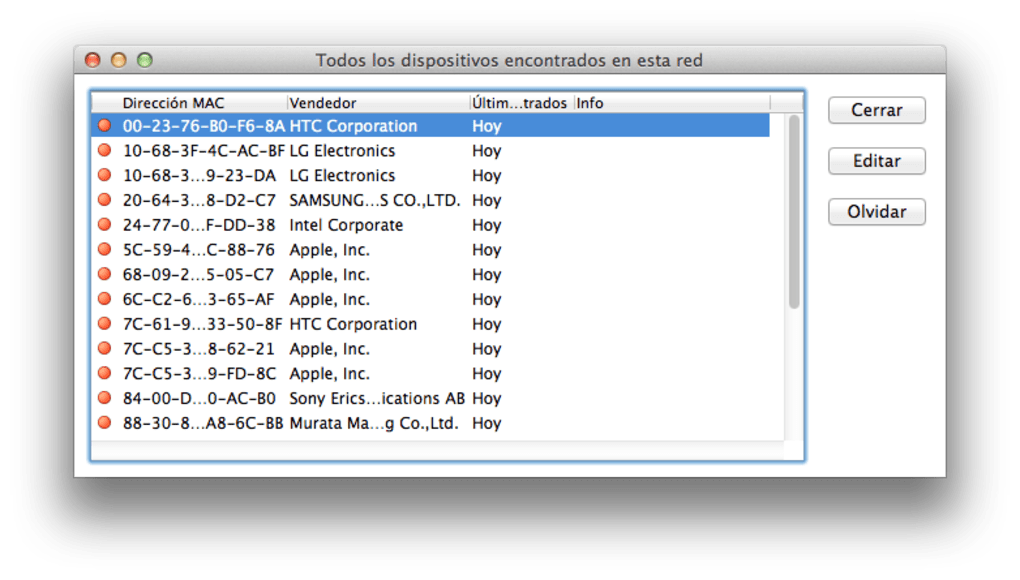
- Start monitoring: Click the “Start Monitoring” button. The main window will now display a live table of connected devices, with unknown devices highlighted in red.
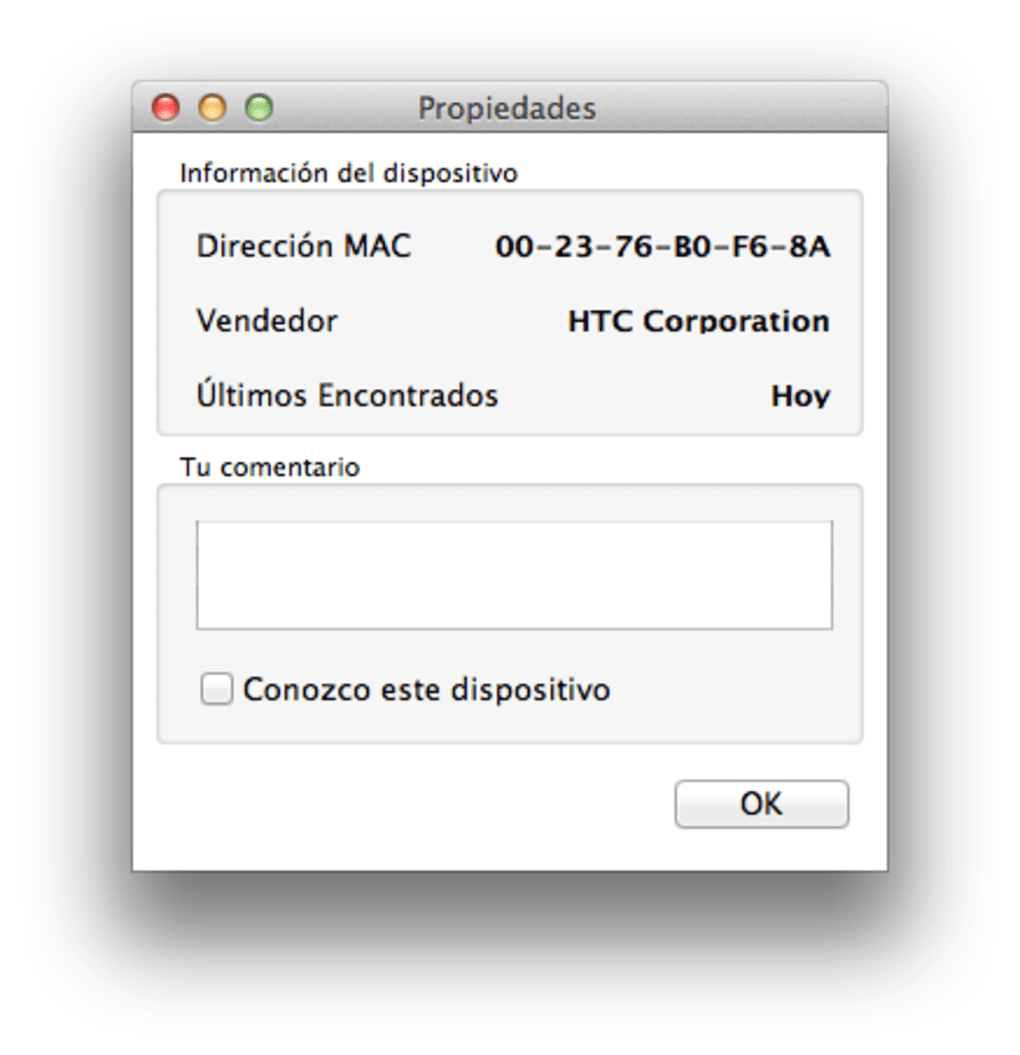
- Review and act: When an alert appears, examine the device’s MAC address and vendor information. If the device is unauthorized, you can immediately disconnect it via your router’s admin panel or run a pre‑configured script that blocks the IP.
SoftPerfect WiFi Guard also offers a portable version for users who prefer not to install software. Simply unzip the portable package onto a USB drive, run the executable, and follow the same configuration steps. Because the tool uses minimal system resources, it can stay active 24/7 without noticeably affecting your PC’s performance.
Compatibility, Pros & Cons
SoftPerfect WiFi Guard is built exclusively for the Windows operating system. It supports Windows 7, Windows 8/8.1, Windows 10, and Windows 11, both 32‑bit and 64‑bit editions. While there is no native macOS, Linux, Android, or iOS version, the Windows platform remains the most common environment for small‑office network monitoring, ensuring broad compatibility for the target audience.
Pros
- Free to download and use with no hidden fees.
- Lightweight and runs silently in the background.
- Highly configurable scan intervals and subnet selection.
- Clear, color‑coded interface that even non‑technical users can understand.
- Whitelist feature reduces alert fatigue.
- Supports custom scripts for automated responses.
- Provides exportable CSV/HTML reports for audits.
Cons
- Limited to Windows; no native macOS or mobile versions.
- Does not include built‑in blocking or malware scanning capabilities.
- Advanced users may find the probing methods less exhaustive than enterprise tools.
- Requires manual whitelist management as new trusted devices are added.
Frequently Asked Questions
Is SoftPerfect WiFi Guard completely free?
Yes, the basic version of SoftPerfect WiFi Guard is free for personal and commercial use. There is also a paid “Pro” edition with additional features such as advanced reporting and remote management, but the free version already provides full network scanning and alert capabilities.
Can WiFi Guard block unknown devices automatically?
The tool itself does not block devices. It serves as an alert system. However, you can configure custom scripts that run when an unknown device is detected, and those scripts can issue commands to your router or firewall to block the offending IP or MAC address.
What network interfaces does WiFi Guard support?
Both wired Ethernet adapters and wireless Wi‑Fi adapters are supported. During the initial setup, you simply select the interface you want to monitor, and the program will handle the rest.
How often should I run scans?
The ideal scan frequency depends on your environment. For a typical home network, a 30‑second to 1‑minute interval provides timely alerts without overloading the system. In a small office with more traffic, a 10‑second interval may be appropriate, while a once‑per‑hour scan could suffice for low‑traffic environments.
Does the portable version retain my whitelist and settings?
Yes, the portable edition stores its configuration files in the same folder as the executable, so when you move the folder to another computer or USB drive, your whitelist and custom settings travel with it.
Conclusion & Call to Action
SoftPerfect WiFi Guard delivers exactly what its name promises: a simple, reliable guard for your Wi‑Fi and wired networks. Its real‑time scanning, easy whitelist management, and flexible alert options make it a perfect companion for anyone who wants to stay informed about who’s on their LAN without diving into complex network‑security suites. While it lacks built‑in blocking features, its ability to trigger external scripts means you can quickly integrate it into a broader security workflow. If you’re looking for a free, lightweight, and secure way to monitor your home or small‑office network, download SoftPerfect WiFi Guard today and gain peace of mind with just a few clicks.
Download SoftPerfect WiFi Guard now and start protecting your network instantly.
SoftPerfect WiFi Guard is an excellent free tool for continuous network visibility. Its lightweight design and clear alerts make it suitable for non‑technical users, while the ability to run custom scripts offers power users the flexibility they need. The only drawbacks are its Windows‑only availability and the lack of built‑in blocking, but these are easily mitigated by pairing the app with a router’s native access‑control features.
Pros
- Free, no‑cost version with full core functionality.
- Easy to set up and configure.
- Low resource consumption.
- Customizable alerts and script integration.
Cons
- Windows‑only.
- No native device‑blocking feature.
- Advanced network diagnostics are limited.







